Inspired by the icy terraces of Mount Everest and the first light breaking over its peaks, this theme pairs cool white and pale grey backgrounds with deep glacier blues and greens to create a clear and unhurried coding environment. Bright, airy surfaces keep the editor calm, while teals, forest greens, and a warm coral accent add definition and focus to key syntax elements.
A light theme from the Codigrate Nature collection, released 2023-09-02. Tags: Calm, Icy, Sunrise.
Sold on codigrate.com for $2.99, one payment, tax included: add it to your cart, pay with Stripe (cards, Apple Pay, Google Pay), and download the theme right away. No account needed. Personal licence; a digital download, so all sales are final (see the terms of sale).
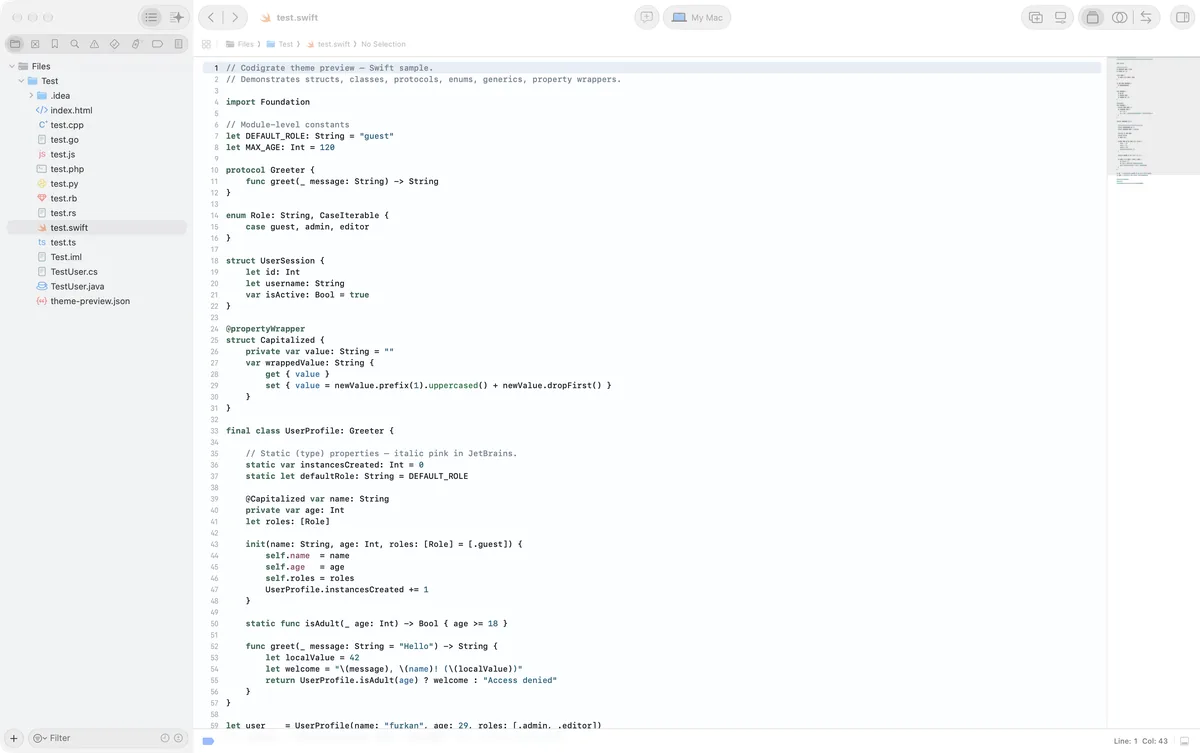
Getting started on Xcode
- Download the zip with the Download button. Inside are two theme files: one for Xcode 26 ( .xcworkspacecolortheme ) and one for Xcode 16 and earlier ( .xccolortheme ).
- Copy both files into ~/Library/Developer/Xcode/UserData/FontAndColorThemes/ ( in Finder, Shift+Cmd+G takes you to the path; create the folder if it is not there ).
- Xcode 26: open Settings → Appearance, click Choose next to Theme and pick the theme under Custom. Xcode 16 and earlier: Settings → Themes lists it after a restart.
- The theme paints the source editor, the console and the documentation view; the window keeps the macOS look.
Everest color palette
Every named color of the Everest palette, free to download for MacOS, CorelDRAW and Figma.
Everest on every platform
- Everest for JetBrains (free)
- Everest for Xcode ($2.99), this page
- Everest for VS Code (free)
- Everest for Chrome (free)
- Everest for Open VSX (free)
- Everest for Slack (free)
- Everest for MacOS Terminal (free)
- Everest for iTerm2 (free)
- Everest for Ghostty (free)
- Everest for Rhino (free)
- Everest for Zed (free)
- Everest for Sublime Text (free)
- Everest for Line
From the blog
- Anatomy of a Light Theme: Everest: Anatomy of Everest, a light IDE theme: layered blue-grey backgrounds, a calm navy foreground, and a cool syntax palette lit by a few warm sparks of dawn.
- Dark Mode and Light Mode: What Your Eyes Actually Want: Neither mode is easier on your eyes by default. What dark and light mode do to your pupils, why good dark themes skip pure black, and how to pick by room light.