Inspired by Tokyo's neon-lit side streets, midnight skylines, and the quiet glow of lantern-lined alleys, this theme blends deep indigo shadows with electric violet highlights to create a sleek, futuristic coding atmosphere. Moody blues keep the editor calm and focused, while luminous purples, soft lilacs, and crisp cyan accents add clarity and energy to key syntax elements.
A dark theme from the Codigrate Cities collection, released 2026-01-07. Tags: Neon, Futuristic, Energetic.
A free download from codigrate.com under the MIT licence: add it to your cart, enter the e-mail address the download link goes to, and get the theme file with its install steps.
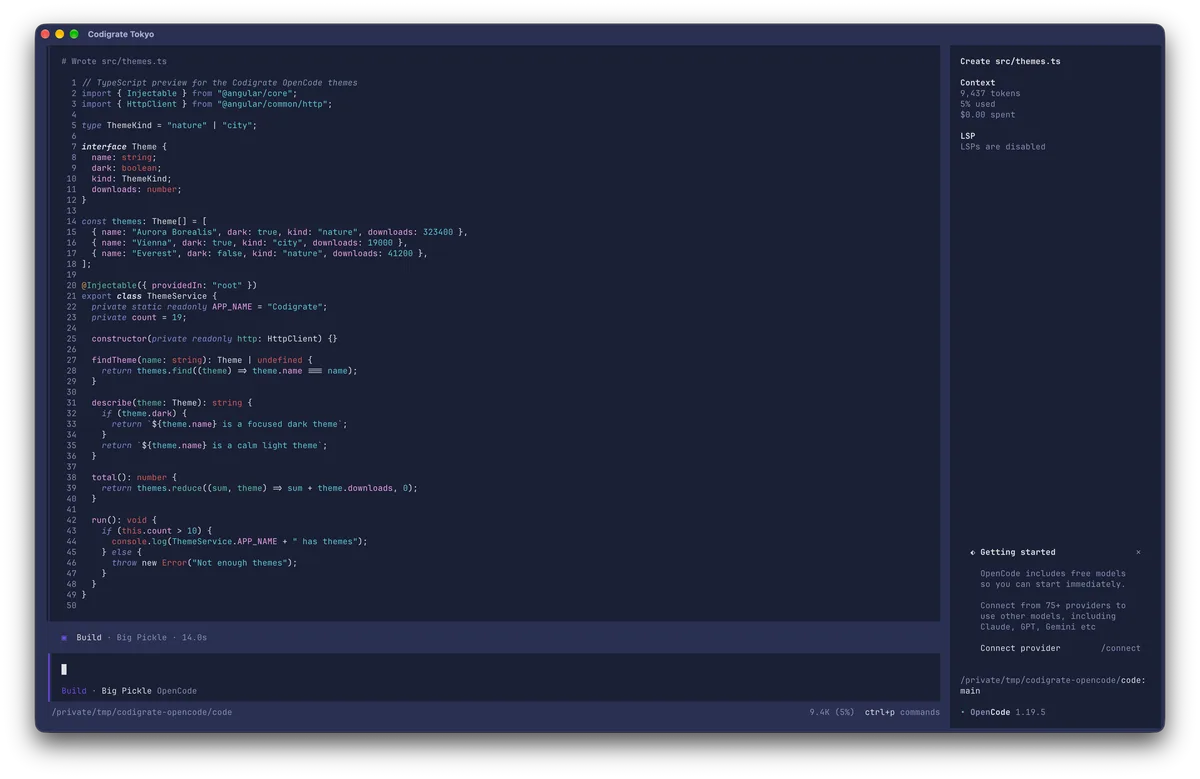
Getting started on OpenCode
- Download the theme with the Download button. It is one file named after the theme, for example codigrate-london.json; keep the name as is.
- Move the file into your OpenCode themes folder, ~/.config/opencode/themes/. If the folder is not there yet, create it in a terminal: mkdir -p ~/.config/opencode/themes
- In OpenCode, type /theme and pick the theme from the list, for example codigrate-london.
- Your terminal needs 24-bit color: run echo $COLORTERM and look for truecolor or 24bit.
Tokyo color palette
Every named color of the Tokyo palette, free to download for MacOS, CorelDRAW and Figma.
Tokyo on every platform
- Tokyo for JetBrains (free)
- Tokyo for Xcode ($2.99)
- Tokyo for VS Code (free)
- Tokyo for Chrome (free)
- Tokyo for Firefox (free)
- Tokyo for Open VSX (free)
- Tokyo for Slack (free)
- Tokyo for MacOS Terminal (free)
- Tokyo for iTerm2 (free)
- Tokyo for Ghostty (free)
- Tokyo for Claude Code (free)
- Tokyo for Codex (free)
- Tokyo for OpenCode (free), this page
- Tokyo for Rhino (free)
- Tokyo for Zed (free)
- Tokyo for Sublime Text (free)
- Tokyo for Line
From the blog
- Anatomy of a Dark Theme: Tokyo: Anatomy of Tokyo, a dark IDE theme: an indigo night editor lit by neon violet and pink, crisp cyan strings, matcha green and the amber of paper lanterns.