Inspired by the icy terraces of Mount Everest and the first light breaking over its peaks, this theme pairs cool white and pale grey backgrounds with deep glacier blues and greens to create a clear and unhurried coding environment. Bright, airy surfaces keep the editor calm, while teals, forest greens, and a warm coral accent add definition and focus to key syntax elements.
A light theme from the Codigrate Nature collection, released 2023-09-02. Tags: Calm, Icy, Sunrise.
A free download from codigrate.com under the MIT licence: add it to your cart, enter the e-mail address the download link goes to, and get the theme file with its install steps.
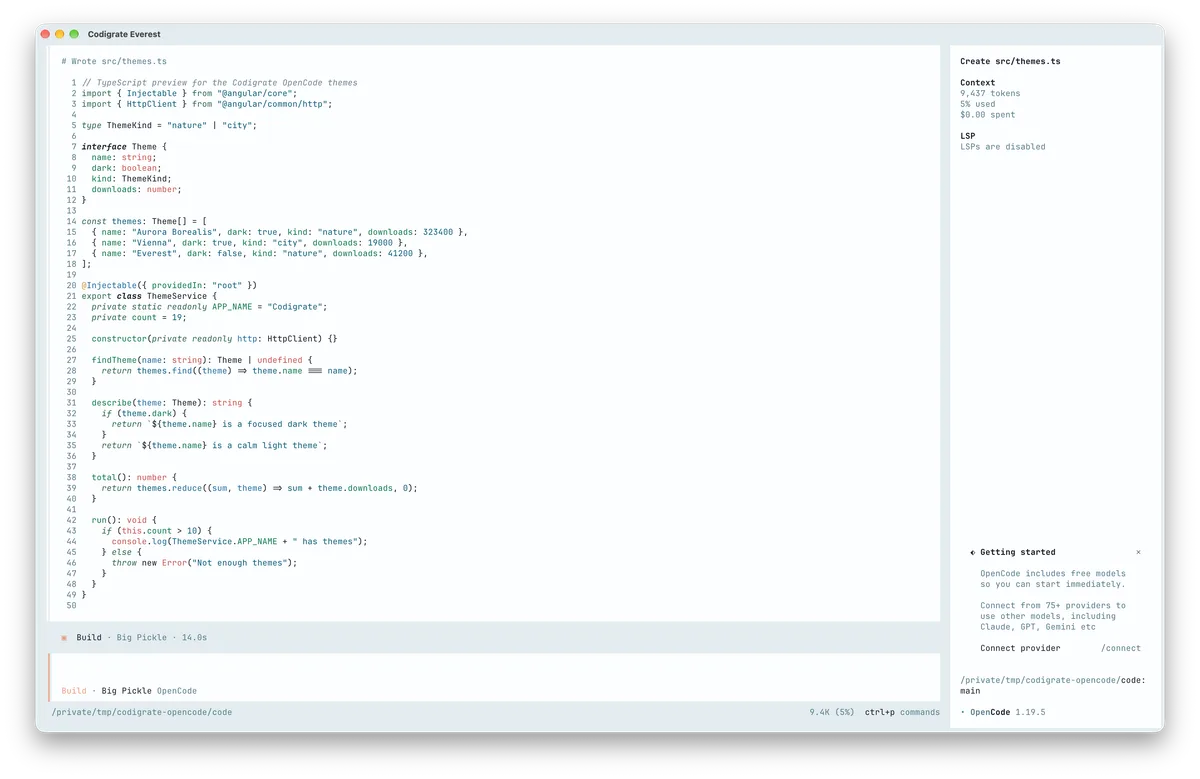
Getting started on OpenCode
- Download the theme with the Download button. It is one file named after the theme, for example codigrate-london.json; keep the name as is.
- Move the file into your OpenCode themes folder, ~/.config/opencode/themes/. If the folder is not there yet, create it in a terminal: mkdir -p ~/.config/opencode/themes
- In OpenCode, type /theme and pick the theme from the list, for example codigrate-london.
- Your terminal needs 24-bit color: run echo $COLORTERM and look for truecolor or 24bit.
Everest color palette
Every named color of the Everest palette, free to download for MacOS, CorelDRAW and Figma.
Everest on every platform
- Everest for JetBrains (free)
- Everest for Xcode ($2.99)
- Everest for VS Code (free)
- Everest for Chrome (free)
- Everest for Firefox (free)
- Everest for Open VSX (free)
- Everest for Slack (free)
- Everest for MacOS Terminal (free)
- Everest for iTerm2 (free)
- Everest for Ghostty (free)
- Everest for Claude Code (free)
- Everest for Codex (free)
- Everest for OpenCode (free), this page
- Everest for Rhino (free)
- Everest for Zed (free)
- Everest for Sublime Text (free)
- Everest for Line
From the blog
- Anatomy of a Light Theme: Everest: Anatomy of Everest, a light IDE theme: layered blue-grey backgrounds, a calm navy foreground, and a cool syntax palette lit by a few warm sparks of dawn.
- Dark Mode and Light Mode: What Your Eyes Actually Want: Neither mode is easier on your eyes by default. What dark and light mode do to your pupils, why good dark themes skip pure black, and how to pick by room light.