Inspired by the crystalline waters and bright white shores of Salda Lake, this light theme brings a fresh, airy calm to your IDE with clean lake blues and vibrant turquoise tones. Soft beige keeps everything crisp and readable on a clear, spacious backdrop. The palette is designed to be gentle on the eyes, helping you stay focused and code with clarity.
A light theme from the Codigrate Nature collection, released 2025-12-30. Tags: Airy, Fresh, Coastal.
Sold on codigrate.com for $1.99, one payment, tax included: add it to your cart, pay with Stripe (cards, Apple Pay, Google Pay), and download the theme right away. No account needed. Personal licence; a digital download, so all sales are final (see the terms of sale).
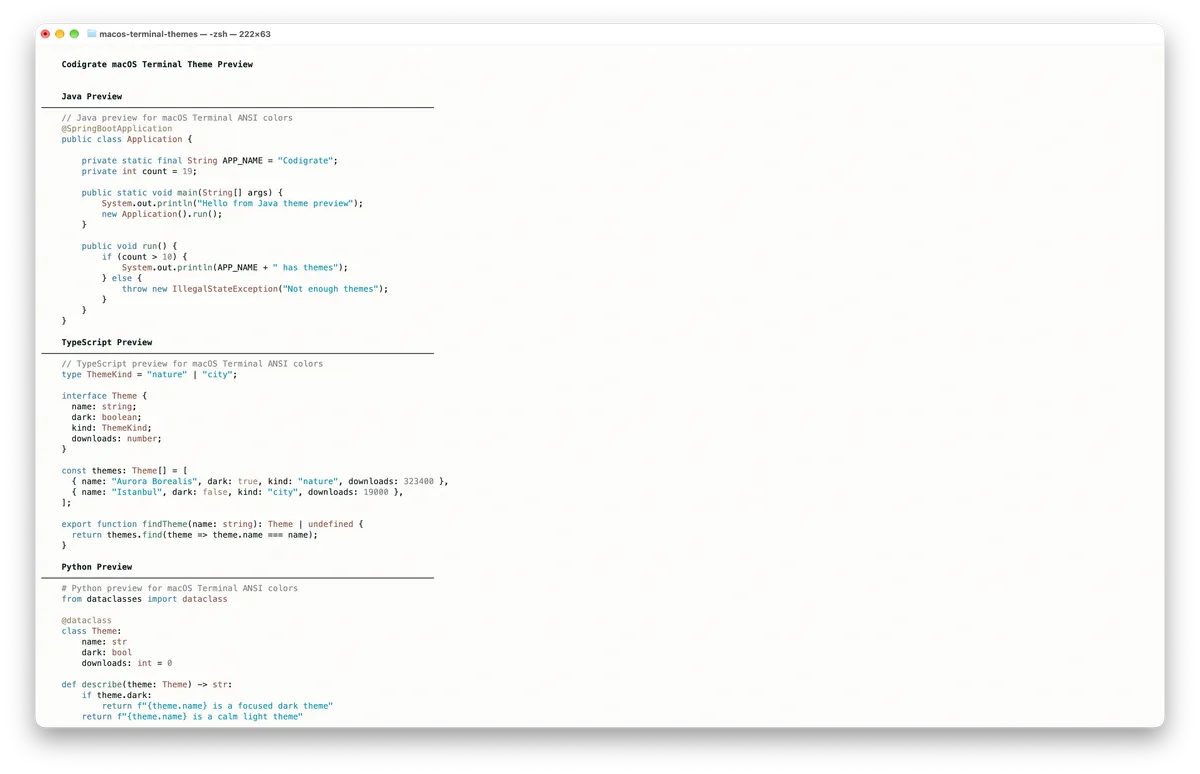
Getting started on MacOS Terminal
- Download the .terminal profile with the Download button.
- Double-click the downloaded file to import it into Terminal ( or, in Terminal, go to Settings → Profiles → the ⋯ menu → Import… and choose the file ).
- With the imported profile selected, click Default to set it as your default profile.
- Open a new Terminal window, and the theme is applied.
Salda color palette
Every named color of the Salda palette, free to download for MacOS, CorelDRAW and Figma.
Salda on every platform
- Salda for JetBrains
- Salda for Xcode ($2.99)
- Salda for Zed ($1.99)
- Salda for Firefox ($1.99)
- Salda for Sublime Text ($1.99)
- Salda for MacOS Terminal ($1.99), this page
- Salda for iTerm2 ($1.99)
- Salda for Ghostty ($1.99)
- Salda for Claude Code ($0.99)
- Salda for Codex ($0.99)
- Salda for OpenCode ($0.99)
- Salda for Rhino ($1.99)
- Salda for Slack ($0.99)
- Salda for Line
From the blog
- Anatomy of a Light Theme: Salda: Anatomy of Salda, a light IDE theme: white sand and warm shore backgrounds, lagoon blue keywords, turquoise strings and a reed green for parameters.