Inspired by Sydney's bright harbour mornings, salt-air breezes, and soft coastal light, this theme keeps the editor clean and airy with porcelain whites and misty blues. Gentle ocean surfaces and clear selections preserve focus, while a deep teal accent and warm sandstone highlights add contrast across tabs, borders, and search matches without losing the calm, sunlit feel.
A light theme from the Codigrate Cities collection, released 2026-02-05. Tags: Coastal, Bright, Modern.
Sold on codigrate.com for $1.99, one payment, tax included: add it to your cart, pay with Stripe (cards, Apple Pay, Google Pay), and download the theme right away. No account needed. Personal licence; a digital download, so all sales are final (see the terms of sale).
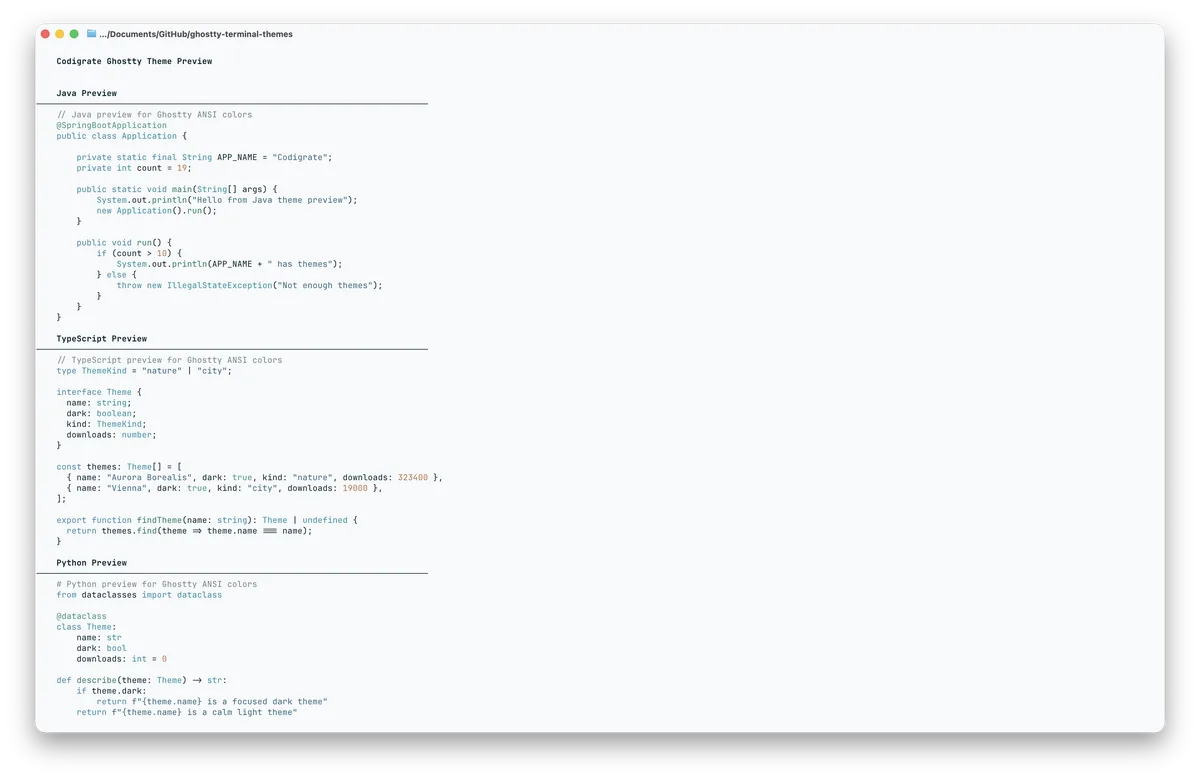
Getting started on Ghostty
- Download the theme with the Download button. It is one file named after the theme, for example Codigrate London; keep the name as is.
- Move the file into your Ghostty themes folder, ~/.config/ghostty/themes/ ( the same path on macOS and Linux ). If the folder is not there yet, create it in a terminal: mkdir -p ~/.config/ghostty/themes ( on a Mac, Shift+Cmd+G in Finder takes you to the path ).
- Open your Ghostty config: in Ghostty press Cmd+, ( Ctrl+, on Linux ), and the config file opens in your editor ( Ghostty creates it if you have none yet ). Add a line: theme = Codigrate London ( the file name ).
- Save, then press Shift+Cmd+, ( Ctrl+Shift+, on Linux ) in Ghostty to reload the config, and the theme is applied.
Sydney color palette
Every named color of the Sydney palette, free to download for MacOS, CorelDRAW and Figma.
Sydney on every platform
- Sydney for JetBrains
- Sydney for Xcode ($2.99)
- Sydney for Zed ($1.99)
- Sydney for Firefox ($1.99)
- Sydney for Sublime Text ($1.99)
- Sydney for MacOS Terminal ($1.99)
- Sydney for iTerm2 ($1.99)
- Sydney for Ghostty ($1.99), this page
- Sydney for Claude Code ($0.99)
- Sydney for Codex ($0.99)
- Sydney for OpenCode ($0.99)
- Sydney for Rhino ($1.99)
- Sydney for Slack ($0.99)
- Sydney for Line
From the blog
- Anatomy of a Light Theme: Sydney: Anatomy of Sydney, a light IDE theme: two whites and a harbour blue frame, reef teal and harbour blue code, warmed by sandstone clay and outback gold.