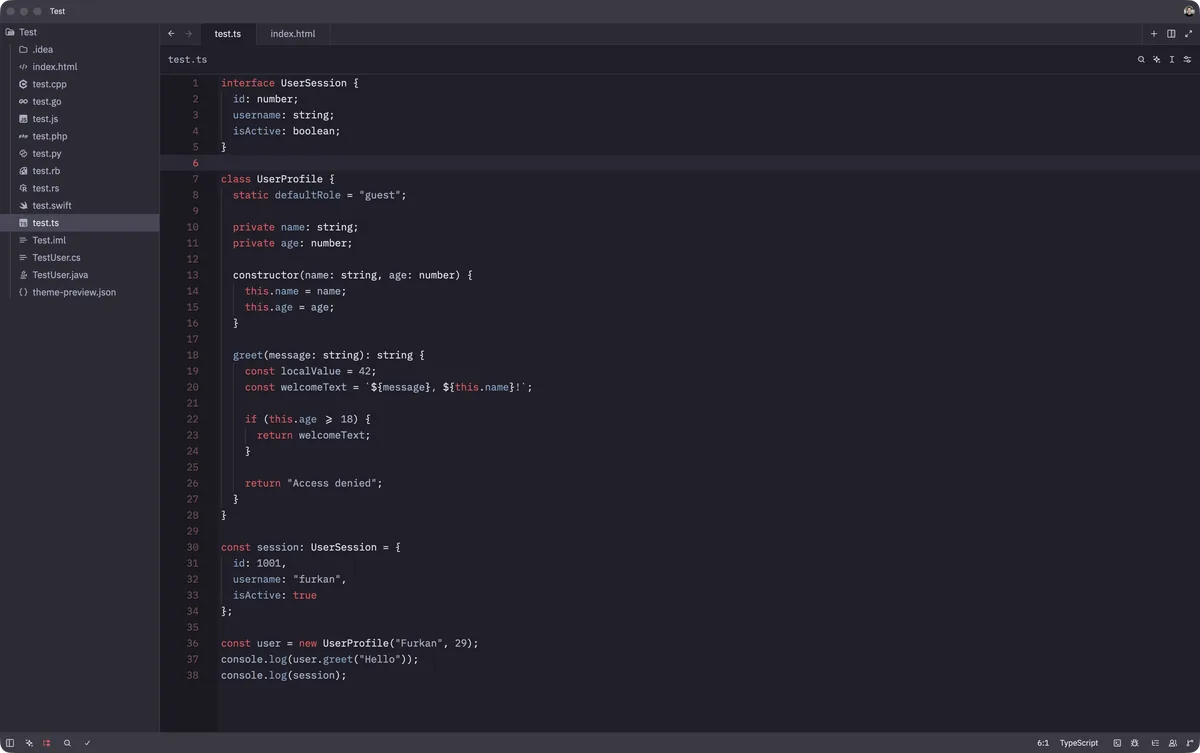
Inspired by London at dusk, this dark theme rests on a slate grey base washed with twilight indigo, then lights it with the pillar box red of a K6 telephone box and the muted steel blue of the Thames. The calm grey surface keeps long sessions easy on the eyes while the red accents mark what matters.
A dark theme from the Codigrate Cities collection, released 2026-08-25. Tags: Royal, Atmospheric, Steel.
Sold on codigrate.com for
Getting started on Zed
- Download the zip with the Download button. Inside is one folder with the theme file ( themes/<name>.json ) and a small extension.toml.
- Copy the .json file from the themes folder into ~/.config/zed/themes/ ( the same path on macOS and Linux; on a Mac, Shift+Cmd+G in Finder takes you to the path ). If the folder is not there yet, create it.
- In Zed, open the theme selector with Cmd+K Cmd+T ( Ctrl+K Ctrl+T on Linux ) and pick the theme by name, and the theme is applied.
- Prefer an extension? In Zed open Extensions, click Install Dev Extension and choose the unzipped folder itself; the theme then shows in the selector the same way.
London color palette
Every named color of the London palette, free to download for MacOS, CorelDRAW and Figma.
London on every platform
- London for JetBrains
- London for Xcode ($2.99)
- London for Zed (
.99), this page - London for Sublime Text (
.99) - London for MacOS Terminal (
.99) - London for iTerm2 (
.99) - London for Ghostty (
.99) - London for Rhino (
.99) - London for Slack ($0.99)