Inspired by the soft daylight and sea breezes of Istanbul, this theme blends calm turquoise tones with warm historical accents to create a serene yet expressive coding environment. Light, airy backgrounds keep the editor clean and comfortable, while teals, aquas, and muted golden hues add clarity and focus to essential syntax elements.
A light theme from the Codigrate Cities collection, released 2026-01-03. Tags: Mediterranean, Historic, Airy.
Sold on codigrate.com for $2.99, one payment, tax included: add it to your cart, pay with Stripe (cards, Apple Pay, Google Pay), and download the theme right away. No account needed. Personal licence; a digital download, so all sales are final (see the terms of sale).
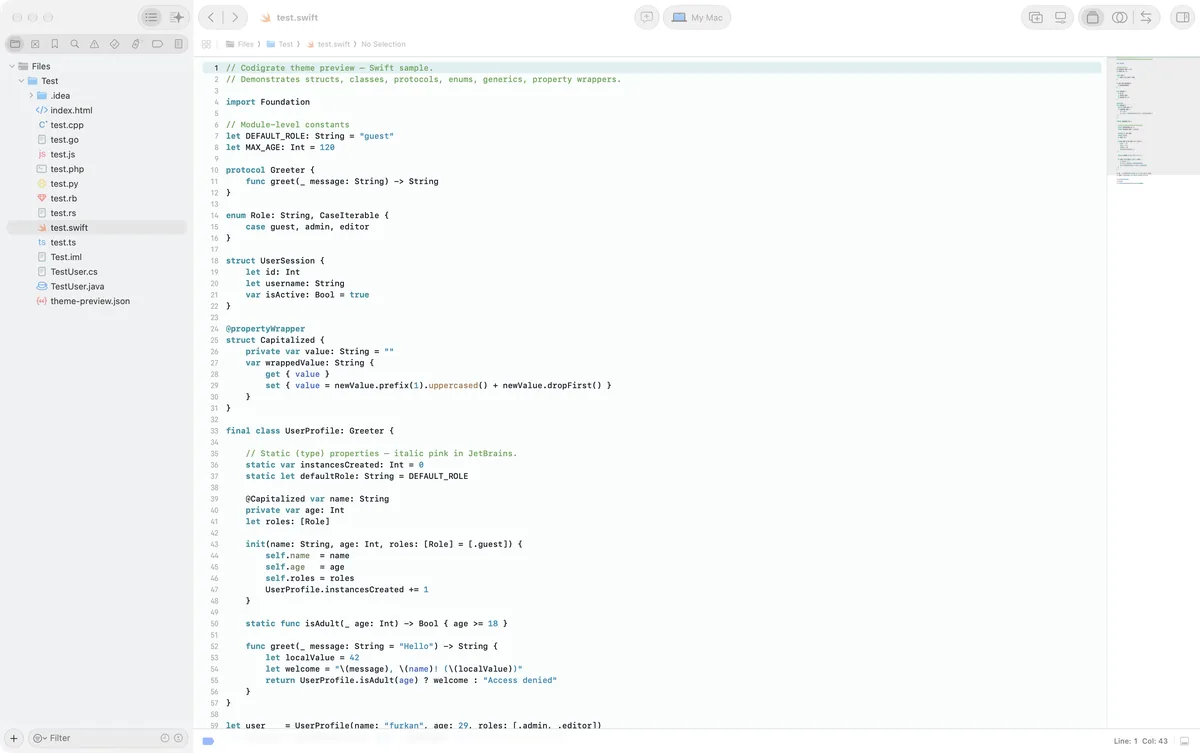
Getting started on Xcode
- Download the zip with the Download button. Inside are two theme files: one for Xcode 26 ( .xcworkspacecolortheme ) and one for Xcode 16 and earlier ( .xccolortheme ).
- Copy both files into ~/Library/Developer/Xcode/UserData/FontAndColorThemes/ ( in Finder, Shift+Cmd+G takes you to the path; create the folder if it is not there ).
- Xcode 26: open Settings → Appearance, click Choose next to Theme and pick the theme under Custom. Xcode 16 and earlier: Settings → Themes lists it after a restart.
- The theme paints the source editor, the console and the documentation view; the window keeps the macOS look.
Istanbul color palette
Every named color of the Istanbul palette, free to download for MacOS, CorelDRAW and Figma.
Istanbul on every platform
- Istanbul for JetBrains (free)
- Istanbul for Xcode ($2.99), this page
- Istanbul for VS Code (free)
- Istanbul for Chrome (free)
- Istanbul for Open VSX (free)
- Istanbul for Slack (free)
- Istanbul for MacOS Terminal (free)
- Istanbul for iTerm2 (free)
- Istanbul for Ghostty (free)
- Istanbul for Rhino (free)
- Istanbul for Zed (free)
- Istanbul for Sublime Text (free)
- Istanbul for Line
From the blog
- Anatomy of a Light Theme: Istanbul: Anatomy of Istanbul, a light IDE theme: marble white backgrounds, a midnight teal foreground, and syntax in Iznik turquoise, rooftop red and bazaar copper.