Inspired by Madrid's sunlit limestone and the carmín flash of a flamenco dress, this light theme creates a warm, luminous coding atmosphere on saffron surfaces with terracotta accents. Azulejo teal and bougainvillea touches add Spanish summer warmth. The result is an elegant, vivid environment built for long, focused sessions.
A light theme from the Codigrate Cities collection, released 2026-05-29. Tags: Warm, Energetic, Mediterranean.
Sold on codigrate.com for $1.99, one payment, tax included: add it to your cart, pay with Stripe (cards, Apple Pay, Google Pay), and download the theme right away. No account needed. Personal licence; a digital download, so all sales are final (see the terms of sale).
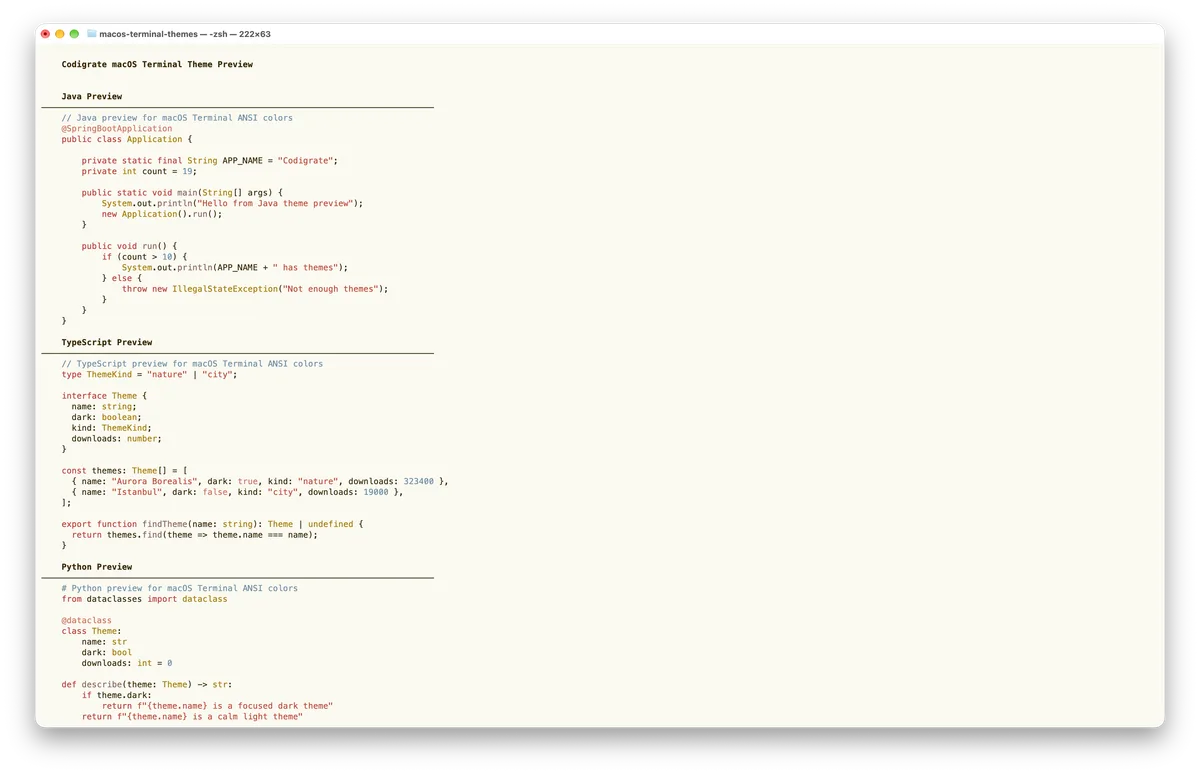
Getting started on MacOS Terminal
- Download the .terminal profile with the Download button.
- Double-click the downloaded file to import it into Terminal ( or, in Terminal, go to Settings → Profiles → the ⋯ menu → Import… and choose the file ).
- With the imported profile selected, click Default to set it as your default profile.
- Open a new Terminal window, and the theme is applied.
Madrid color palette
Every named color of the Madrid palette, free to download for MacOS, CorelDRAW and Figma.
Madrid on every platform
- Madrid for JetBrains
- Madrid for Xcode ($2.99)
- Madrid for Zed ($1.99)
- Madrid for Firefox ($1.99)
- Madrid for Sublime Text ($1.99)
- Madrid for MacOS Terminal ($1.99), this page
- Madrid for iTerm2 ($1.99)
- Madrid for Ghostty ($1.99)
- Madrid for Claude Code ($0.99)
- Madrid for Codex ($0.99)
- Madrid for OpenCode ($0.99)
- Madrid for Rhino ($1.99)
- Madrid for Slack ($0.99)
- Madrid for Line
From the blog
- Anatomy of a Light Theme: Madrid: Anatomy of Madrid, a light IDE theme: a saffron frame around a page of sunlit limestone, sangria keywords, flamenco red values and azulejo blue comments.