Inspired by elegant boulevards and Paris's sunset glow, this dark theme trades bright champagne for dusty rose accents over calm plum-espresso tones and soft dark editor backgrounds. Mauve surfaces and wine-tinted hovers add depth and balance while focus stays clear, with a gentle blush accent guiding attention across the interface.
A dark theme from the Codigrate Cities collection, released 2026-01-05. Tags: Romantic, Elegant, Sunset.
A free download from codigrate.com under the MIT licence: add it to your cart, enter the e-mail address the download link goes to, and get the theme file with its install steps.
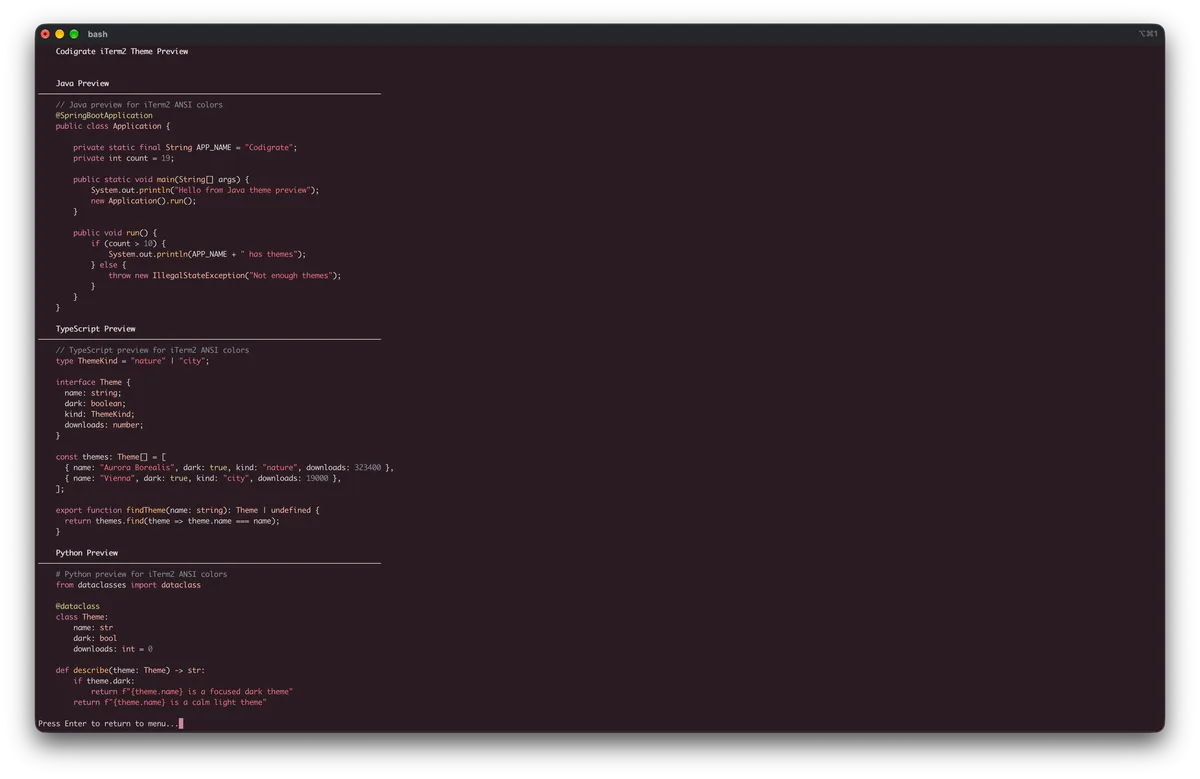
Getting started on iTerm2
- Download the .itermcolors file with the Download button.
- In iTerm2, open Settings → Profiles → Colors.
- Open the Color Presets… dropdown at the bottom right, choose Import…, and select the downloaded file.
- Open the Color Presets… dropdown again and pick the theme by name, and the theme is applied.
Paris color palette
Every named color of the Paris palette, free to download for MacOS, CorelDRAW and Figma.
Paris on every platform
- Paris for JetBrains (free)
- Paris for Xcode ($2.99)
- Paris for VS Code (free)
- Paris for Chrome (free)
- Paris for Firefox (free)
- Paris for Open VSX (free)
- Paris for Slack (free)
- Paris for MacOS Terminal (free)
- Paris for iTerm2 (free), this page
- Paris for Ghostty (free)
- Paris for Claude Code (free)
- Paris for Codex (free)
- Paris for OpenCode (free)
- Paris for Rhino (free)
- Paris for Zed (free)
- Paris for Sublime Text (free)
- Paris for Line
From the blog
- Anatomy of a Dark Theme: Paris: Anatomy of Paris, a dark IDE theme: a plum espresso editor under dusty rose and macaron pinks, warmed by champagne gold and cooled by a twilight blue.