Inspired by Madrid's sunlit limestone and the carmín flash of a flamenco dress, this light theme creates a warm, luminous coding atmosphere on saffron surfaces with terracotta accents. Azulejo teal and bougainvillea touches add Spanish summer warmth. The result is an elegant, vivid environment built for long, focused sessions.
A light theme from the Codigrate Cities collection, released 2026-05-29. Tags: Warm, Energetic, Mediterranean.
Sold on codigrate.com for
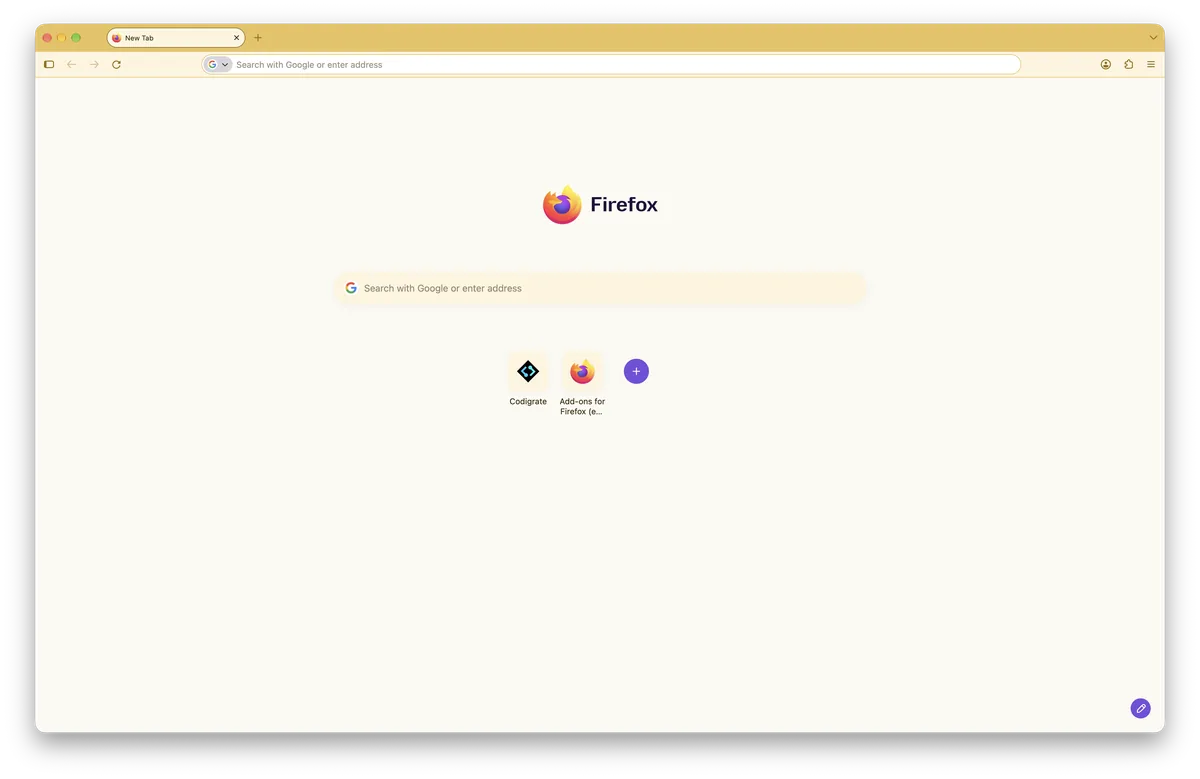
Getting started on Firefox
- Open the theme's Firefox Add-ons page with the Go to store button.
- Click Add to Firefox and confirm in the prompt that opens.
- The theme applies at once: the tabs, the toolbar and the address bar take its colors, no restart.
- Want another look later? Open Add-ons and themes ( Cmd+Shift+A on a Mac, Ctrl+Shift+A on Windows and Linux ) → Themes and enable another theme; switch back the same way any time.
Madrid color palette
Every named color of the Madrid palette, free to download for MacOS, CorelDRAW and Figma.
Madrid on every platform
- Madrid for JetBrains
- Madrid for Xcode ($2.99)
- Madrid for Zed (
.99) - Madrid for Firefox (
.99), this page - Madrid for Sublime Text (
.99) - Madrid for MacOS Terminal (
.99) - Madrid for iTerm2 (
.99) - Madrid for Ghostty (
.99) - Madrid for Rhino (
.99) - Madrid for Slack ($0.99)
- Madrid for Line