Inspired by Mount Fuji at first light, this light theme rests on the soft coral-peach glow of dawn over snow white, then lifts it with sakura pink and a lakeside torii's vermilion. The calm dawn surface keeps long sessions easy on the eyes while the blossom accents mark what matters.
A light theme from the Codigrate Nature collection, released 2026-08-01. Tags: Sunrise, Pastel, Warm.
Sold on codigrate.com for $0.99, one payment, tax included: add it to your cart, pay with Stripe (cards, Apple Pay, Google Pay), and download the theme right away. No account needed. Personal licence; a digital download, so all sales are final (see the terms of sale).
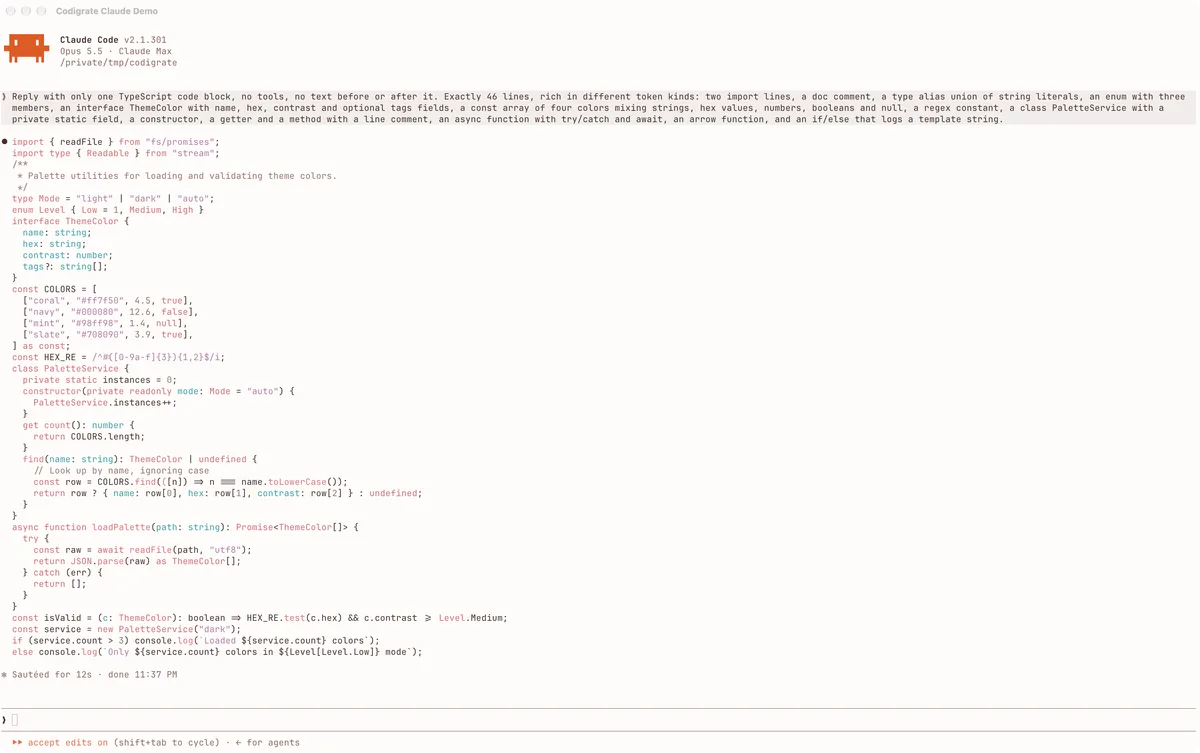
Getting started on Claude Code
- Download the theme with the Download button. It is one file named after the theme, for example codigrate-london.json; keep the name as is.
- Move the file into your Claude Code themes folder, ~/.claude/themes/. If the folder is not there yet, create it in a terminal: mkdir -p ~/.claude/themes
- In Claude Code, type /theme and pick the theme from the list, for example Codigrate London. It applies at once.
- For the best result, install the same theme for your terminal too ( Ghostty, iTerm2 or macOS Terminal ): Claude Code colors code with your terminal's colors, so with the matching terminal theme the code reads like the theme in your IDE.
Fuji color palette
Every named color of the Fuji palette, free to download for MacOS, CorelDRAW and Figma.
Fuji on every platform
- Fuji for JetBrains
- Fuji for Xcode ($2.99)
- Fuji for Zed (
.99) - Fuji for Firefox (
.99) - Fuji for Sublime Text (
.99) - Fuji for MacOS Terminal (
.99) - Fuji for iTerm2 (
.99) - Fuji for Ghostty (
.99) - Fuji for Claude Code ($0.99), this page
- Fuji for Rhino (
.99) - Fuji for Slack ($0.99)
- Fuji for Line